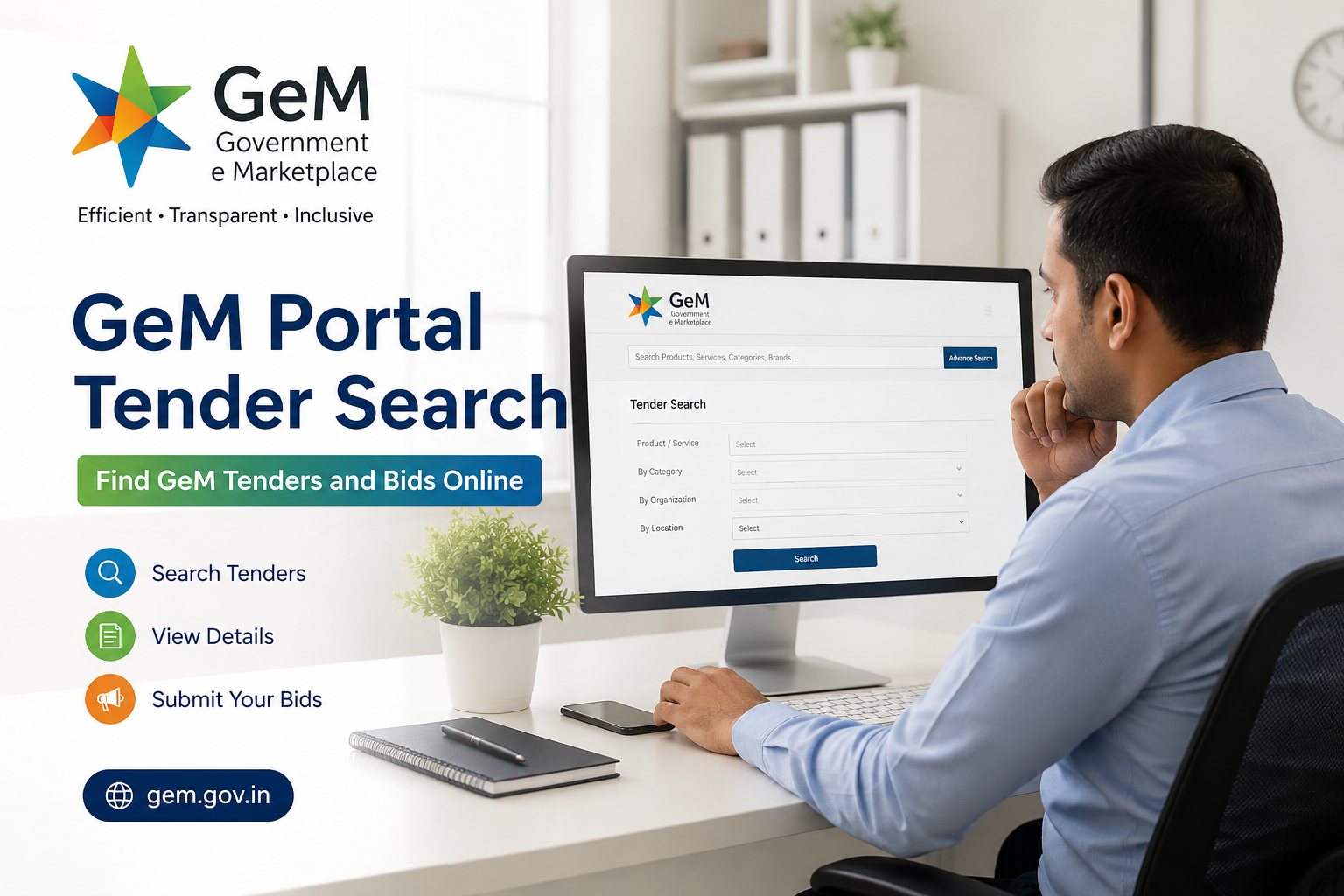
GeM Portal Tender Search | Find GeM Tenders and Bids Online
The Government e-Marketplace (GeM) has transformed public procurement in India by making government purchases transparent, efficient, and completely digital. Whether you are a manufacturer, trader, startup, MSME, or service provider, learning the GeM Portal Tender Search process can help you access thousands of business opportunities from Central Government departments, State Governments, PSUs, autonomous bodies, and government organizations.
Every day, new GeM portal tenders are published across hundreds of product and service categories. If you know how to perform an effective GeM tender search, you can quickly find relevant tenders, submit bids, and grow your business through government contracts.
This guide explains everything—from finding tenders to understanding bidding requirements and improving your chances of winning.
What is GeM Tender?
A GeM Tender is an online procurement opportunity published by government buyers on the Government e-Marketplace. Instead of traditional paper-based procurement, buyers invite registered sellers to submit quotations or bids digitally.
Common categories include:
- Office supplies
- Medical equipment
- IT hardware
- Furniture
- Electrical products
- Vehicles
- Machinery
- Security services
- Housekeeping services
- Consulting services
- Construction materials
- Industrial equipment
Thousands of new opportunities are added regularly through the GeM Tenders Portal.
What is GeM Portal Tender Search?
GeM Portal Tender Search is the process of locating government tenders available on the Government e-Marketplace.
Businesses can search tenders using:
- Product name
- Service category
- Buyer department
- Ministry
- Tender ID
- Bid number
- State
- Organization
- Closing date
- Bid value
A proper GeM portal bid search helps businesses avoid irrelevant tenders and focus only on suitable opportunities.
How to Search Tender on GeM Portal?
If you are wondering how to search tender on GeM portal, follow these simple steps.
Step 1: Visit the Official GeM Portal
Open the official Government e-Marketplace website.
Step 2: Open Tender Section
Navigate to the section containing live procurement opportunities and available bids.
Step 3: Use Search Filters
You can search using:
- Tender Name
- Bid Number
- Product Category
- Service Category
- Ministry
- Organization
- State
- Closing Date
- Buyer Name
- Contract Value
Using multiple filters improves your GeM tender search accuracy.
Step 4: Review Tender Details
Open the selected tender and review:
- Technical specifications
- Eligibility criteria
- Quantity
- Delivery schedule
- Earnest Money Deposit (if applicable)
- Bid submission deadline
- Required documents
Step 5: Submit Bid
Registered sellers meeting all eligibility requirements can submit their GeM Portal Bid before the deadline.
Types of GeM Portal Tenders
The GeM Portal Tenders generally fall into different categories.
Product Procurement
Government departments purchase:
- Computers
- Furniture
- Medical supplies
- Electrical items
- Laboratory equipment
Service Procurement
Includes services such as:
- Housekeeping
- Security
- IT Support
- Transportation
- Facility Management
- Consultancy
Custom Bids
Government buyers may create customized requirements where suppliers submit proposals according to buyer specifications.
Reverse Auction
Qualified vendors compete by offering progressively lower prices while maintaining technical compliance.
Benefits of GeM Tender Search
Searching tenders regularly provides several advantages.
Access to Nationwide Opportunities
Businesses can participate in procurement opportunities from multiple ministries and departments across India.
Transparent Procurement
The GeM e Procurement Portal ensures fair competition with standardized procedures and digital records.
Time Saving
Advanced filters help businesses quickly identify suitable opportunities instead of manually searching across departments.
Digital Documentation
Most documents are uploaded electronically, reducing paperwork.
Better Business Growth
Winning government contracts can increase revenue, improve credibility, and build long-term relationships with public sector buyers.
Understanding GeM Portal Bid Search
A GeM Portal Bid Search enables sellers to locate active bids based on specific procurement requirements.
Useful search parameters include:
- Bid Number
- Product Name
- Buyer Organization
- Tender Category
- Bid Closing Date
- Ministry
- State
Businesses should monitor bid listings frequently because many opportunities have limited submission windows.
What is GeM Online Tender?
A GeM Online Tender is a procurement notice published digitally on the GeM platform.
Instead of physical document submission, suppliers upload:
- Technical Bid
- Financial Bid
- Supporting certificates
- Product specifications
- Compliance documents
Everything is managed electronically.
Difference Between GeM Tender and GeM Bid
Although both terms are often used interchangeably, they have different meanings.
|
GeM Tender
|
GeM Bid
|
|
Procurement opportunity published by buyer
|
Supplier's response to the tender
|
|
Contains requirements
|
Contains supplier quotation
|
|
Created by Government Buyer
|
Submitted by Seller
|
|
Includes eligibility conditions
|
Includes pricing and documents
|
Understanding this distinction helps during GeM Portal Bid Search.
GeM Gov In Tenders Explained
Many users search for GeM Gov In Tenders or GeM Gov In Tender while looking for official procurement notices.
These include tenders from:
- Central Ministries
- State Governments
- Public Sector Undertakings
- Defence Organizations
- Educational Institutions
- Municipal Corporations
- Government Hospitals
Each listing contains complete procurement information.
GeM Bid Portal Features
The GeM Bid Portal offers several useful features.
Smart Search
Locate bids instantly using multiple filters.
Category Search
Browse procurement opportunities by product or service category.
Department-wise Search
Identify tenders issued by specific ministries.
Date Filters
View only recently published tenders.
Bid Alerts
Registered sellers can monitor upcoming opportunities more efficiently.
GeM E Tendering Process
The GeM E Tendering process follows a structured workflow.
Requirement Creation
Government buyers prepare procurement requirements.
Tender Publication
Tender becomes visible on the portal.
Seller Participation
Eligible sellers submit quotations.
Technical Evaluation
Buyer verifies eligibility and technical compliance.
Financial Evaluation
Qualified bids are compared based on pricing.
Award of Contract
Successful bidder receives the purchase order.
Documents Required for GeM Tender Participation
Before participating in GeM Online Tender opportunities, businesses should keep these documents ready.
- PAN
- GST Registration
- Udyam Registration (if applicable)
- Company Registration Certificate
- Bank Details
- Product Certifications
- Quality Certificates
- Authorization Letter
- Experience Certificates (if required)
- Financial Documents
Tips for Successful GeM Tender Search
Finding the right tender is only the first step. Consider these practical tips.
Search Daily
New procurement opportunities are added regularly.
Use Multiple Keywords
Instead of searching only one product, try related categories.
Read Tender Documents Carefully
Understand every eligibility requirement before submitting a bid.
Verify Deadlines
Late submissions are generally not accepted.
Prepare Documents Early
Keep certificates updated and ready for upload.
Monitor Corrigendum
Buyers may revise specifications before the closing date.
Common Mistakes During GeM Portal Bid Search
Avoid these errors.
- Ignoring eligibility conditions
- Missing bid deadlines
- Uploading incorrect documents
- Incorrect pricing
- Skipping technical specifications
- Not checking amendments
- Waiting until the last minute
Who Can Participate in GeM Tenders?
Eligible participants generally include:
- MSMEs
- Manufacturers
- Authorized Dealers
- Service Providers
- Startups
- Traders
- OEMs
- Government-approved vendors
- Private companies
- Partnership firms
- Proprietorship businesses
Why Businesses Should Use GeM E Procurement Portal
The GeM e Procurement Portal provides a centralized platform for government purchasing.
Major advantages include:
- Digital procurement
- Reduced paperwork
- Increased transparency
- Faster communication
- Nationwide tender access
- Better compliance
- Improved efficiency
For many MSMEs, it serves as an excellent gateway to government business opportunities.
Final Thoughts
Learning the GeM Portal Tender Search process is essential for any business looking to expand into government procurement. By understanding GeM tender search, GeM portal bid search, GeM online tender and the GeM e procurement portal, suppliers can efficiently discover relevant opportunities and participate with confidence.
A disciplined approach—searching daily, reviewing eligibility carefully, maintaining updated documents, and submitting accurate bids before deadlines—can significantly improve success in government procurement. Whether you are a startup, MSME, manufacturer, or service provider, mastering the GeM Portal Tender Search process can open the door to consistent and long-term business growth through public sector contracts.
Frequently Asked Questions (FAQs) – GeM Portal Tender Search (2026)
1. What is GeM Portal Tender Search?
GeM Portal Tender Search is the process of finding active government procurement opportunities listed on the Government e-Marketplace. Businesses can search tenders using filters such as product category, ministry, buyer organization, bid number, and closing date.
Official Source: https://gem.gov.in/
2. How do I perform a GeM Tender Search?
Visit the GeM portal, navigate to the "Bids/RA" section, and use available filters such as bid number, category, organization, ministry, or keyword to find relevant tenders.
Official Source: https://gem.gov.in/
3. How to search tender on GeM Portal efficiently?
Use advanced search filters, shortlist relevant categories, review eligibility criteria carefully, and regularly monitor newly published bids to avoid missing opportunities.
Official Source: https://gem.gov.in/
4. What is a GeM Portal Bid?
A GeM Portal Bid is the proposal submitted by a registered seller or service provider in response to a government procurement opportunity published on GeM.
Official Source: https://gem.gov.in/
5. What is GeM Online Tender?
A GeM Online Tender is a fully digital procurement process where buyers invite suppliers to submit technical and financial bids electronically through the GeM platform.
Official Source: https://gem.gov.in/
6. Who can participate in GeM tenders?
Manufacturers, authorized dealers, OEMs, MSMEs, startups, service providers, traders, LLPs, private limited companies, partnership firms, and proprietorship businesses meeting the eligibility criteria can participate.
Official Source: https://gem.gov.in/seller
7. Is GeM e Tendering transparent?
Yes. GeM follows standardized e-procurement procedures that ensure transparency, fair competition, digital records, and audit trails.
Official Source: https://gem.gov.in/
8. What documents are commonly required?
Generally, sellers may need PAN, GST registration, bank account details, business registration certificates, product certifications, and documents specified in the bid.
Official Source: https://gem.gov.in/
9. Can MSMEs participate in GeM Portal Tenders?
Yes. MSMEs can register on GeM and participate in government procurement opportunities, provided they satisfy the eligibility conditions of the specific bid.
Official Source: https://gem.gov.in/
10. Why should businesses regularly perform GeM Portal Tender Search?
Regular searches help businesses identify new procurement opportunities, prepare bids early, and improve their chances of winning government contracts.
Official Source: https://gem.gov.in/
11. Is GeM registration mandatory for bidding?
Yes. Sellers must complete GeM registration before participating in bids or submitting quotations.
Official Source: https://gem.gov.in/seller
12. Can startups participate in GeM tenders?
Yes. DPIIT-recognized startups can register on GeM and participate in eligible procurement opportunities.
Official Source: https://gem.gov.in/startup
13. What is the difference between a GeM Tender and a GeM Bid?
A tender is the procurement requirement published by a buyer, whereas a bid is the supplier's response to that tender.
Official Source: https://gem.gov.in/
14. Can I search GeM tenders without logging in?
Yes. Public users can view many live bids and tender details without logging into the portal.
Official Source: https://gem.gov.in/
15. How often are new GeM tenders published?
New tenders and bids are published daily by various government departments and organizations.
Official Source: https://gem.gov.in/
16. What is a Bid Number in GeM?
A Bid Number is a unique identification number assigned to every procurement opportunity published on GeM.
Official Source: https://gem.gov.in/
17. Can I search tenders using a product name?
Yes. Users can search bids using product names, service categories, keywords, or bid numbers.
Official Source: https://gem.gov.in/
18. What is Reverse Auction in GeM?
Reverse Auction is a procurement method where eligible suppliers compete by progressively lowering their prices after qualifying technically.
Official Source: https://gem.gov.in/
19. Can service providers participate in GeM bids?
Yes. Service providers offering eligible services such as housekeeping, security, consultancy, IT support, transportation, and facility management can participate.
Official Source: https://gem.gov.in/services
20. Does GeM support e-Procurement?
Yes. GeM functions as a comprehensive government e-procurement platform for procurement of goods and services.
Official Source: https://gem.gov.in/
21. Are bid submission deadlines strict?
Yes. Once the submission deadline expires, bids generally cannot be submitted or modified.
Official Source: https://gem.gov.in/
22. Can sellers edit submitted bids?
Bids can generally be modified only before the bid submission deadline, subject to GeM rules.
Official Source: https://gem.gov.in/
23. What is a Technical Bid?
A Technical Bid contains product specifications, compliance documents, certifications, and other technical information required by the buyer.
Official Source: https://gem.gov.in/
24. What is a Financial Bid?
A Financial Bid contains the supplier's quoted prices and commercial details for the tender.
Official Source: https://gem.gov.in/
25. How can I improve my chances of winning GeM tenders?
Submit complete documentation, meet technical specifications, quote competitive prices, maintain product quality, and comply with all bid conditions.
Official Source: https://gem.gov.in/
26. Are GeM tenders available across India?
Yes. Central Government ministries, State Governments, PSUs, autonomous bodies, and other public organizations publish procurement opportunities on GeM.
Official Source: https://gem.gov.in/
27. Can I search tenders by ministry or department?
Yes. GeM allows users to filter tenders by buyer organization, ministry, department, and category.
Official Source: https://gem.gov.in/
28. Does GeM provide procurement opportunities for both goods and services?
Yes. Government buyers procure a wide range of products as well as professional, technical, and facility management services through GeM.
Official Source: https://gem.gov.in/
29. Is GeM suitable for small businesses and MSMEs?
Absolutely. GeM provides MSMEs and small businesses with nationwide access to government procurement opportunities through a transparent online platform.
Official Source: https://gem.gov.in/
30. Where can I learn more about GeM Portal Tender Search and bidding?
You can access official user manuals, FAQs, policies, seller guides, and bid-related information through the Government e-Marketplace Help & Resources section.
Official Source: https://gem.gov.in/help