GeM Registration Login | GeM Portal Login Seller Guide 2026
If you are searching for GeM Registration Login, gem registration login, GeM Portal Login Seller, or simply GeM Registration, you are likely looking for a clear way to access or manage your seller account on the Government e-Marketplace.
The Government e-Marketplace (GeM) is India's government procurement platform where eligible sellers can offer products and services to government buyers. After creating a seller account, users need to access their account through the appropriate login process and keep their profile, catalogue, and business information updated.
This guide explains the GeM seller login process, registration requirements, common login problems, account management, security precautions, and important steps to take after logging in.
What Is GeM Registration?
GeM Registration is the process of creating a seller account on the Government e-Marketplace.
Businesses and eligible organizations can use the platform to offer applicable products or services to government buyers. The seller registration process requires business and identity information, and the exact information required can vary according to the organization's constitution.
GeM's seller registration prerequisites include information such as an authorized person's Aadhaar/Virtual ID or personal PAN, an active email address, business/organization type, business PAN, date of incorporation/registration, and, where applicable, company and income-tax details.
Common organization types include:
- Proprietorship
- Partnership/LLP firm
- Company
- Trust/Society/Association
- Government entity
The GeM seller manual also describes different verification requirements depending on the organization type.
What Is GeM Registration Login?
GeM Registration Login refers to accessing an already-created GeM account.
It is important to understand the difference between registration and login:
You create your GeM account.
You access the account after registration.
You update business, bank, address, experience, and other applicable information.
You add the products or services you want to offer.
GeM's official seller guidance describes this sequence as creating an account, logging in and updating the profile, followed by adding products or services through the catalogue section.
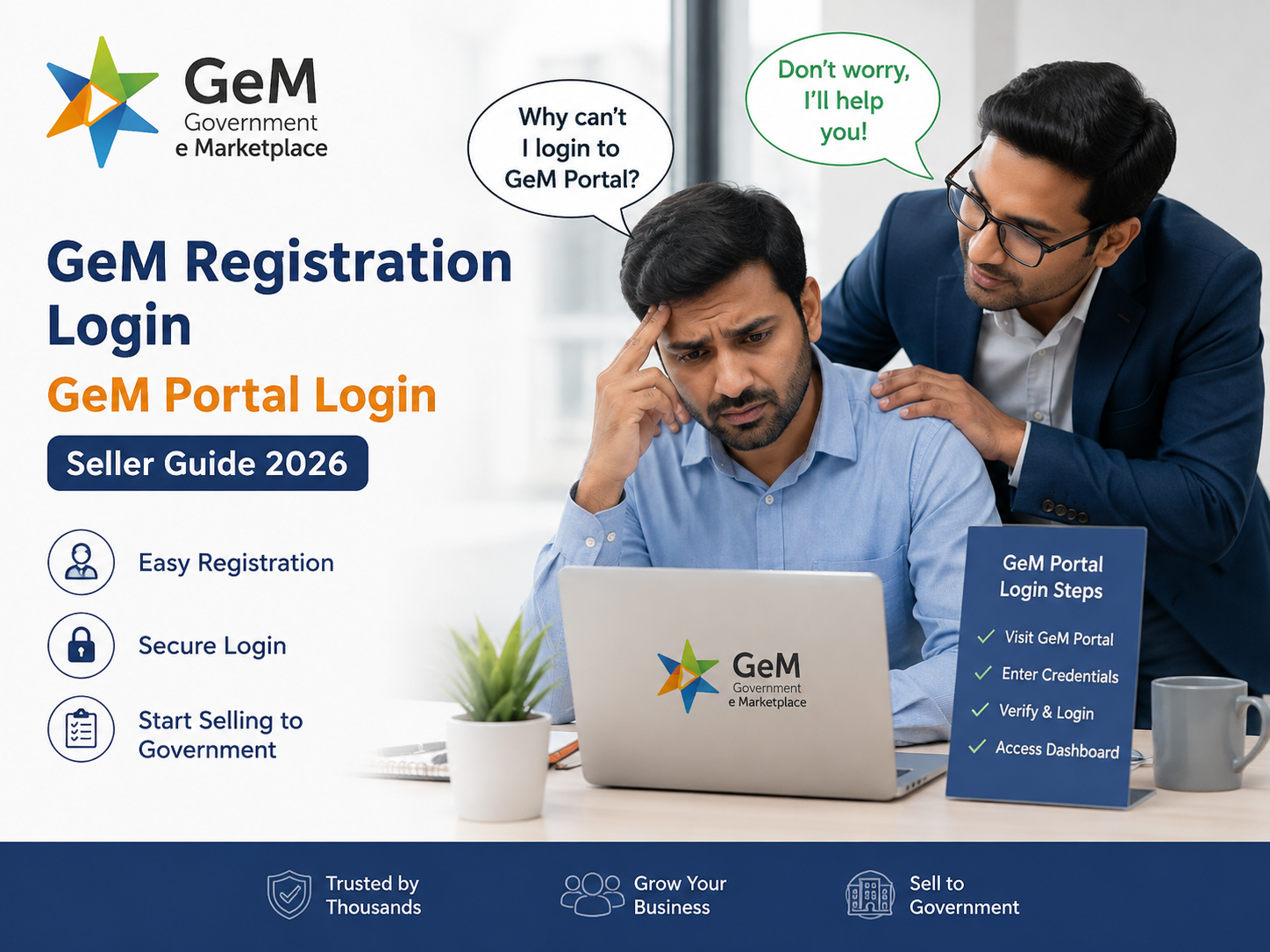
GeM Portal Login Seller – Step-by-Step Process
If you are specifically searching for GeM Portal Login Seller, follow these steps.
Step 1: Open the Official GeM Portal
Start from the official Government e-Marketplace website rather than an unknown third-party login page.
Security tip: Before entering your credentials, check the website address carefully.
Step 2: Select the Appropriate Login Option
Choose the login route applicable to your seller account.
GeM's current login page indicates that its new login and sign-up process is being introduced through a controlled rollout for a limited set of users, so the exact interface can change over time.
Step 3: Enter Your Account Credentials
Enter the login information associated with your registered GeM account.
Avoid sharing your password, OTP, or other authentication information with anyone.
Step 4: Complete the Required Verification
If the portal asks for an additional verification step, complete it using the information or authentication method associated with your account.
Step 5: Access Your Dashboard
After successful authentication, you can access the functions available to your seller account.
Depending on your account status and applicable requirements, this may include profile management, catalogue activities, bids, orders, and other seller functions.
Interactive Seller Login Roadmap
Think of your GeM journey like a simple roadmap:
Stage 1—Registration
Create your user https://gemonlineportal.grih.in/ account.
Stage 2—Verification
Provide and verify applicable business and identity information.
Stage 3 — Login
Access your account.
Stage 4—Profile
Complete and maintain your seller information.
Stage 5—Catalogue
Add applicable products or services.
Stage 6—Business Activity
Explore applicable bids, orders, and other seller functions.
The important point: Successfully logging in does not necessarily mean that every seller activity is immediately available. Certain profile, catalogue, verification, or compliance-related requirements may need to be completed first.
Documents & Information You May Need for GeM Registration
Before starting your registration, preparing the required information can make the process easier.
Depending on your business structure and the activities you intend to undertake, you may need information such as:
- Identity & Contact Information
- Aadhaar/Virtual ID or applicable PAN details
- Registered mobile number
- Active email address
- Authorized person's details
- Business Information
- Business/organization type
- Business PAN
- Date of incorporation/registration
- Registered business details
- Office/address information
- Company Information
For applicable companies, additional information such as CIN and related verification details may be required.
- Income Tax Information
Certain ITR-related information may be required, particularly for sellers intending to participate in applicable Bid/RA activities. GeM's registration prerequisites specifically note ITR requirements and exceptions based on factors such as business age or filing exemption.
- Bank Information
Applicable bank-account details may be needed for seller profile and payment-related activities.
Important: Requirements can change depending on the seller's organization type, account status, and GeM's current procedures. Always verify the latest requirements on the official portal.
What Can You Do After GeM Portal Login Seller Access?
Logging in is only the beginning. Your seller dashboard is intended to support multiple stages of your GeM activities.
1. Manage Your Seller Profile
Keep important business information accurate and updated.
This may include:
- Business details
- Office location
- Address
- Bank information
- Experience
- Contact information
- Applicable verification details
GeM's official seller guidance specifically instructs registered sellers to update profile information after creating their account.
2. Manage Products and Services
If you want to sell through GeM, you need to add the applicable products or services to your catalogue.
The official GeM registration guide describes adding products or services through the Catalogue section of the seller dashboard.
Before adding a listing, carefully check:
- Product category
- Product specifications
- Brand information
- Applicable certifications
- Images
- Pricing
- Warranty details
- Other category-specific requirements
Accurate information is important because catalogue details can affect how government buyers discover and evaluate your offering.
3. Explore Bids and Reverse Auctions
Sellers may also use the platform for applicable Bid and Reverse Auction activities.
GeM's seller learning resources currently include a dedicated Bid and RA Participation course under the Seller Journey, alongside courses covering registration/account management, catalogue management, order fulfilment, forward auction, and other seller activities.
Before participating, check:
- Is your seller profile complete?
- Is the relevant product/service available?
- Do you meet the bid's eligibility criteria?
- Have you reviewed all specifications?
- Can you meet the delivery requirements?
- Have you checked the applicable terms and conditions?
4. Manage Orders
After receiving an applicable order, sellers may need to manage fulfilment and other order-related activities through their account.
The GeM seller learning program includes Order Fulfillment as a dedicated learning module, highlighting the importance of understanding the process after a seller starts receiving orders.
Common GeM Registration Login Problems
Not every login problem means that your account has been blocked. Sometimes the issue is caused by credentials, browser settings, verification, or temporary technical problems.
Here are some common situations.
Problem 1: Incorrect Login Credentials
If your login details are not accepted:
- Check the information carefully.
- Avoid unnecessary spaces.
- Make sure you are using the correct account.
- Use the applicable recovery option if you have forgotten your credentials.
Problem 2: Forgotten Password
If you cannot remember your password, do not repeatedly guess it.
Instead, use the official account recovery process available through the relevant GeM login interface.
Never share your password or OTP with another person claiming to provide login assistance.
Problem 3: OTP or Verification Issue
If you cannot complete verification:
- Check whether the registered mobile/email is accessible.
- Confirm that your network is working.
- Wait briefly before requesting another verification code.
- Avoid repeatedly entering incorrect codes.
- Use the official support mechanism if the issue continues.
Problem 4: Website or Browser Issue
Try these basic troubleshooting steps:
Reload the page.
Clear browser cache and cookies if the page behaves unexpectedly.
Try opening the portal in a private browsing window.
If the issue continues, test the portal using another updated browser.
A weak or unstable connection can interrupt login or verification.
GeM Login Security Checklist
Your GeM account can contain important business information, so account security should be treated seriously.
Never share:
- Password
- OTP
- Authentication codes
- Sensitive business information with unknown individuals
Always:
- Use the official GeM website: https://gemonlineportal.grih.in/
- Check the website address before logging in
- Keep your password confidential
- Log out when using a shared computer
- Avoid saving passwords on public devices
- Be careful with suspicious emails and messages
GeM's privacy policy also describes security and authentication practices within its ecosystem, including use of the GeM Authenticator mobile application for secure authentication on the platform.
GeM Registration Login vs GeM Portal Login Seller
Although these terms are often used interchangeably, their search intent can differ.
|
Keyword
|
Likely Search Intent
|
|
GeM Registration
|
Wants to create an account
|
|
GeM Registration Login
|
Wants to access a registered account
|
|
gem registration login
|
Same login intent, typed in lowercase
|
|
GeM Portal Login Seller
|
Specifically wants seller access
|
|
GeM Seller Login
|
Wants to enter the seller dashboard
|
|
GeM Account Login
|
Wants to access an existing account
|
This distinction is useful for both users and businesses creating informational content around GeM services.
Why Completing Your Seller Profile Matters
A successful login is not the end of the seller setup process.
An incomplete or inaccurate profile can create problems when you try to use different marketplace functions.
After logging in, review:
- Business name
- Organization type
- PAN information
- Address
- Contact information
- Bank details
- Experience
- Product/service information
- Applicable certificates
- Catalogue information
Keep your information consistent with your official business documents.
Tips for New GeM Sellers
If you are accessing your account for the first time, don't rush directly into bidding. Follow this order:
- Verify Your Account
Make sure your registration and applicable verification are complete.
- Complete Your Profile
Review all available business information.
- Understand Catalogue Requirements
Learn the applicable category and listing requirements.
- Add Relevant Products or Services
Only provide accurate information.
- Study Bid Requirements
Before participating, understand the eligibility criteria and terms.
- Monitor Your Account
Regularly check your dashboard for relevant updates and activities.
- Learn the Seller Process
GeM currently provides interactive seller learning content covering registration/account management, catalogue management, Bid/RA participation, order fulfilment, and other seller topics.
Frequently Asked Questions About GeM Registration Login
1. What is GeM Registration Login?
GeM Registration Login is the process of accessing an existing seller account on the Government e-Marketplace. After completing registration and creating the required user credentials, sellers can log in to their GeM account and manage their profile and seller-related activities.
Source: GeM Seller Registration Guide
2. What is gem registration login?
gem registration login is simply another commonly used search variation for accessing a registered GeM seller account. Once the seller registration process is completed, the registered user ID and password can be used to access the account.
Source: GeM Seller Registration Guide
3. What is GeM Portal Login Seller?
GeM Portal Login Seller refers to accessing the seller side of the Government e-Marketplace. Sellers use their registered account to access applicable profile, catalogue, bidding, order, and other seller functions.
Source: GeM Seller User Manual
4. Is GeM Registration free?
Yes. According to GeM's official seller registration material, registration on GeM is free for sellers. The official guidance also warns sellers not to pay anyone for GeM registration.
Source: Official GeM Seller Registration Guide – Zero Registration Fees
5. Can I log in if I have not registered?
No. You need to create the appropriate GeM seller account before accessing seller-specific account functions. GeM's official registration guidance describes creating a user ID and password first and then using those credentials to log in and update the seller profile.
Source: GeM Seller Registration Guide
6. What information is required for GeM Registration?
The information required can depend on the seller's organization type. GeM's official prerequisites include information such as Aadhaar/Virtual ID or personal PAN, an active email ID, business or organization type, business PAN, date of incorporation/registration, and other applicable details. Companies may also need CIN and relevant ITR information.
Source: GeM Seller Registration Prerequisites
7. What should I do if I forget my login credentials?
If you forget your login credentials, use the official recovery or password-reset facility available for the relevant GeM account rather than creating an unnecessary duplicate account. For GeM's Interactive LMS, for example, the official help page provides a Forgot Password process using the registered email address.
Source: GeM Interactive LMS Help & Resources
8. Why is my GeM login not working?
A GeM login may fail because of incorrect credentials, verification issues, browser problems, connectivity issues, or account-related requirements. First, verify your credentials and connection and use the applicable official GeM recovery or support process if the problem continues.
Source: GeM Seller User Manual
9. Can I use my GeM account to sell products?
Yes. Eligible sellers can use their GeM account to add applicable products and offer them through the marketplace, subject to the relevant GeM requirements. GeM's official seller guide explains that sellers can add products through the Catalogue section after completing their profile.
Source: Official GeM Seller Registration Guide
10. Can service providers register on GeM?
Yes. GeM supports seller registration for applicable product sellers, service providers, or both. The official seller manual states that users can select whether their registration type is for a product seller, service provider, or both.
Source: GeM Seller User Manual
11. Can I update my business information after registration?
Yes. After registration and login, sellers can manage and update applicable profile information. GeM's official seller registration guide specifically instructs sellers to update details such as office locations, address, bank account information, and experience.
Source: GeM Seller Registration Guide
12. Can I add products after login?
Yes. After logging in, applicable sellers can add products or services through the Catalogue section of their GeM dashboard. Sellers should provide accurate product/service information and comply with the requirements applicable to the relevant category.
Source: Official GeM Seller Registration Guide
13. Can I participate in GeM bids after registration?
Registration alone does not mean that every bid is automatically available to a seller. Sellers must meet the eligibility and other requirements specified for the particular procurement opportunity. GeM's seller prerequisites also explain that verified ITR details are relevant for Bid/RA participation for applicable entities, subject to stated exceptions.
Source: GeM Seller Registration Prerequisites
14. Is completing the seller profile important?
Yes. Completing and maintaining accurate seller information is an important part of managing a GeM account. GeM's official registration guidance directs sellers to update their profile with relevant information such as office locations, address, bank account details, and experience after creating their account.
Source: Official GeM Seller Registration Guide
15. Should I share my GeM password with an agent?
No. You should keep your password, OTPs, authentication codes, and other account credentials confidential. GeM's privacy policy addresses protection of user information and security measures and prohibits unauthorized attempts to access accounts, passwords, and GeM systems.
Source: GeM Official Privacy Policy
16. What if my registered mobile number is unavailable?
If you cannot access the mobile number or other information associated with your account, use the official GeM support or account-management process to determine the appropriate resolution. Avoid giving your login credentials or OTP to an unauthorized person claiming to fix the issue.
Authentic Source: GeM Official Privacy Policy and Help Information
17. Can I access GeM from a mobile device?
Access to GeM can depend on the current portal interface, device, browser, and the particular function you are trying to use. For important seller activities, it is advisable to use a secure, updated device and supported browser. GeM's official Interactive LMS also publishes browser and system requirements for its learning platform.
Source: GeM Interactive LMS Help & Resources
18. What should I check before participating in a GeM bid?
Before participating, carefully review the specific bid's eligibility criteria, product or service specifications, quantity, delivery requirements, terms and conditions, and other applicable requirements. GeM provides a dedicated Bid and RA Participation learning course for sellers.
Source: GeM Seller Journey – Bid and RA Participation
19. Does GeM provide seller training?
Yes. GeM provides an official Interactive LMS with a Seller Journey containing courses on registration and account management, catalogue management, Bid and RA participation, order fulfilment, Forward Auction, and other topics.
The training platform is owned by Government e-Marketplace (GeM).
Source: Official GeM Interactive LMS – Seller Journey Courses
20. Where should I go if I have a technical login problem?
Start with the official GeM portal and its official support channels. GeM's Interactive LMS currently lists for support related to the LMS and training system. For seller-account issues, use the applicable support facility provided through the official GeM ecosystem.
Avoid relying on unofficial websites or individuals who request your password, OTP, or other sensitive authentication information.
Source: GeM Interactive LMS Help & Resources
Final GeM Seller Login Checklist
Before you finish your GeM Registration Login, ask yourself:
- Do I have an active seller account?
- Am I using the official GeM portal?
- Are my login details correct?
- Can I complete the required verification?
- Is my seller profile complete?
- Is my business information accurate?
- Are my products/services correctly listed?
- Have I reviewed applicable bid requirements?
- Am I keeping my password and OTP confidential?
If all of these are checked, you are in a much better position to manage your GeM seller account efficiently.
Conclusion
Whether you searched for GeM Registration Login, gem registration login, GeM Portal Login Seller, or GeM Registration, the most important thing is to understand where you are in the seller journey.
New seller? Start with registration.
Already registered? Access your seller account through the official login process.
Logged in? Complete your profile, manage your catalogue, and understand the applicable seller functions.
Planning to bid? Carefully review the specific procurement requirements before participating.
GeM also provides dedicated seller learning resources, making it useful for new sellers to understand registration, catalogue management, bidding, and order fulfilment before actively using the marketplace.
Always verify the latest login interface and requirements on the official GeM portal, because portal processes and interfaces can change.